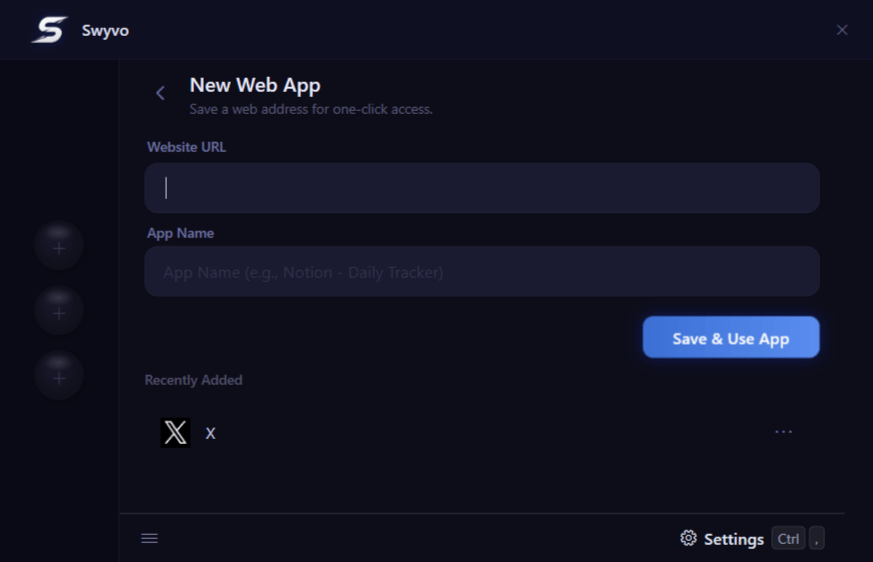
- Website URL: Simply paste the URL of any website.
- App Name: The app name gets auto-filled but you can edit it too.
- Recently Added: Instantly view your most recently configured websites at a glance, making it easy to quickly review and use them.
Pro-tip: Right-click or use the three-dot menu on a web app to edit or delete it. If a rule is watching that site, Swyvo asks before removing the rule. See Deleting a saved website. - Seamless Integration: Once saved, your web app appears in My Apps under the Web tab. From there you can launch it directly or add it to an app slot for one-click access.