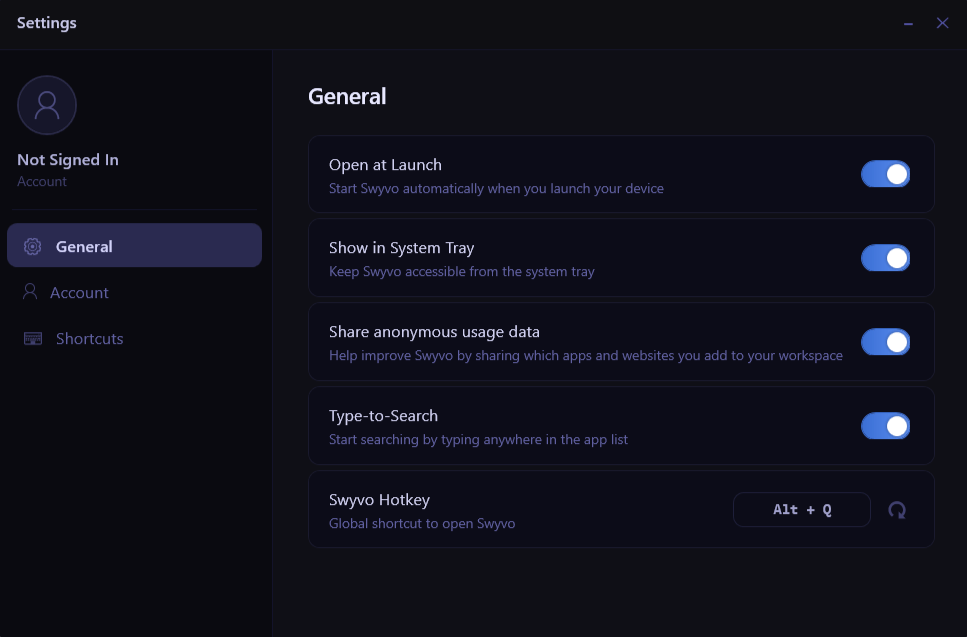
- Open at Launch: When enabled Swyvo will run in the background from the moment you launch your device ready for you to open using the Swyvo Hotkey
Alt + Q - Show in System Tray: When enabled Swyvo button will appear on the System Tray from where you can open or quit Swyvo.
- Share anonymous usage data: When enabled, Swyvo sends anonymous usage data — like which apps and websites you use and how — to help us improve the app. You can turn this off anytime.
- Type-to-Search: When enabled you can start typing to start searching the app you want without needing to click on the searchbar.
- Swyvo Hotkey: Use
Alt + Qto show/hide Swyvo or any app running through Swyvo at any time.